
Cafe-grade UX on a 7-inch touch screen, motion without video
From photo-based beverage menus to brewing animations, a product-grade touch HMI reference designed by analyzing the UX of commercial coffee machines.
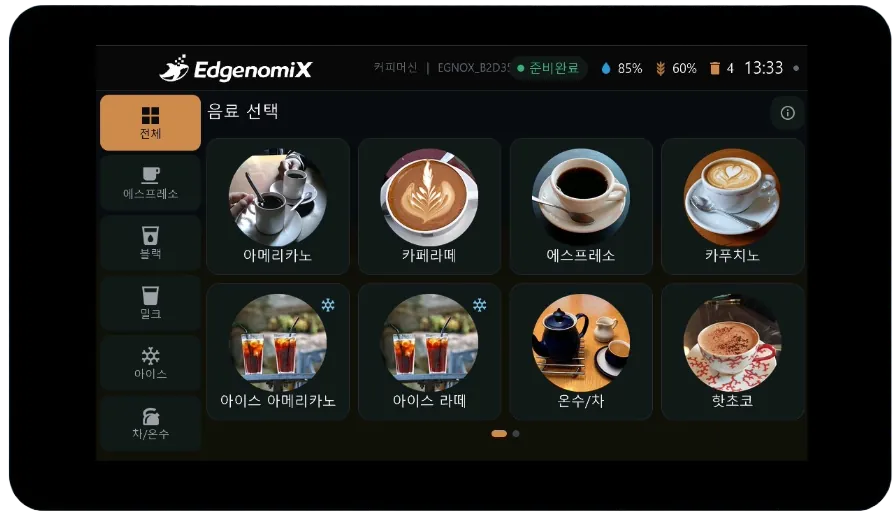
How this HMI works
Beverage menu, settings, brewing, and machine status screens are built with a product-grade design system, and live vector animations such as progress rings, cup filling, and steam are rendered without bitmap video. Live values such as water, beans, and temperature are shown via gauges and charts.
Key Features
Product-grade design system
Uses a dark premium theme and token-based, consistent widgets.
Photo-based menu
Provides losslessly embedded circular beverage photo tiles and category navigation.
Live vector animation
Renders progress rings, cup filling, and steam without video.
Real-time dashboard
Displays live values such as water, beans, temperature, and power via gauges and charts.
Multilingual · OTA
Supports instant Korean/English switching and over-the-air firmware updates.
Simulation-driven development
Completes the UI first without physical equipment, then integrates by swapping only the data layer.
Browse screens
Actual screens designed and built in-house by EdgenomiX.
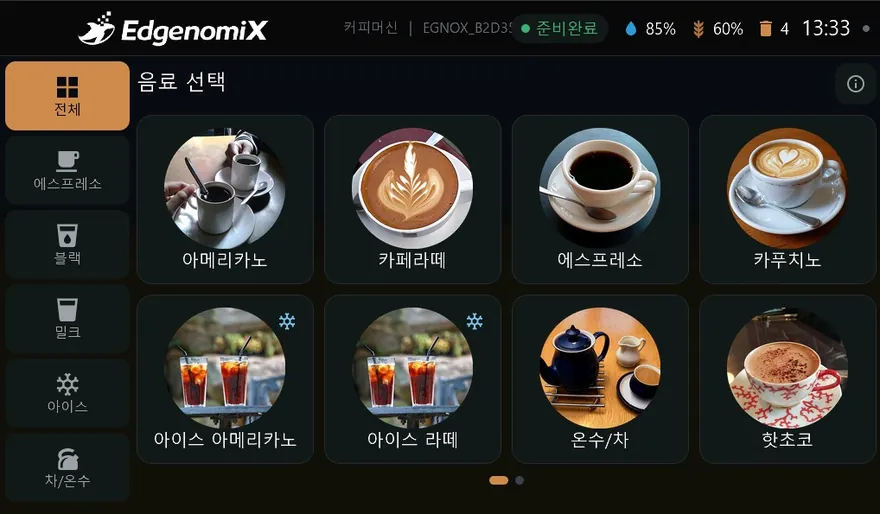
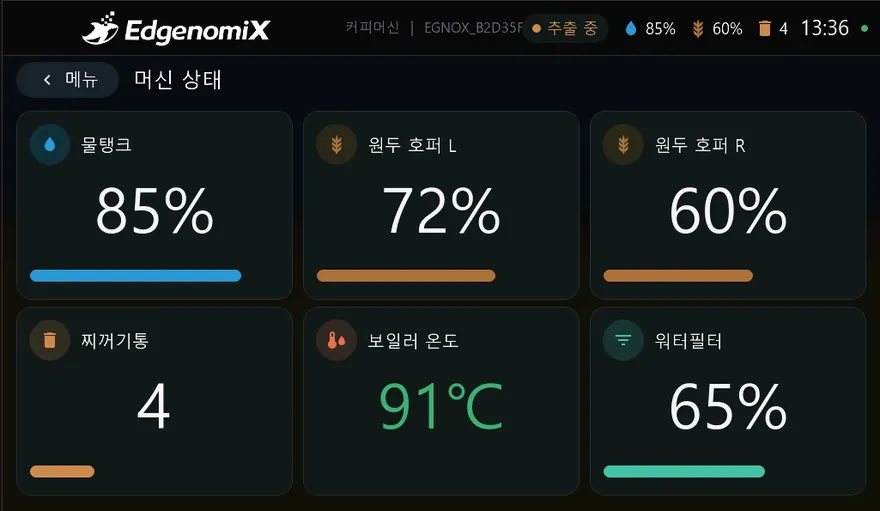
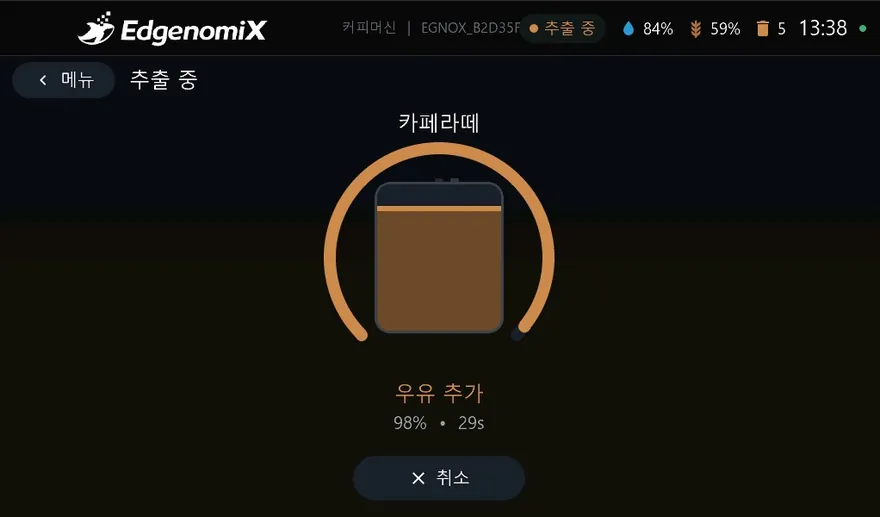
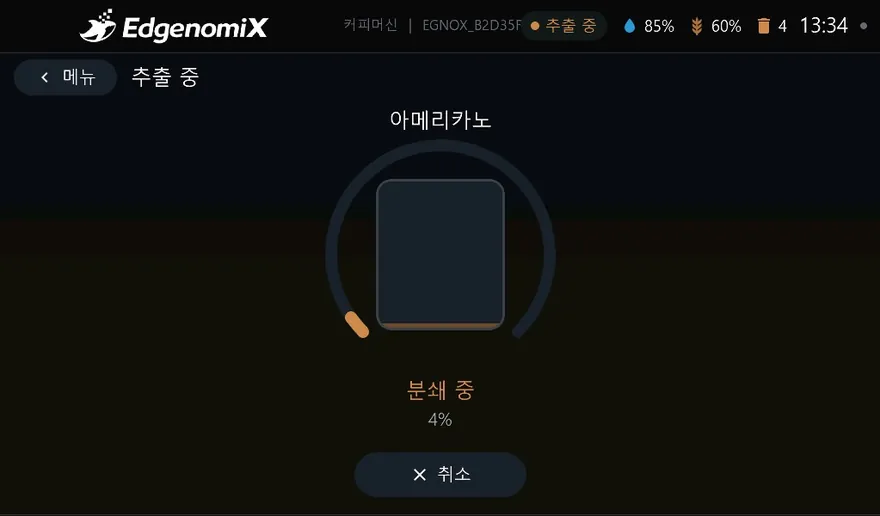
* These are actual production screens; the configuration may vary depending on the deployment environment.
What you monitor and control on screen
How it connects to equipment
Every EGNOX custom HMI commonly supports Wi-Fi/Ethernet networking, OTA over-the-air firmware updates (signature verification & rollback), remote screen viewing via web browser, and multilingual (Korean/English) operation. The communication register map is mapped during the screen design stage to match the equipment model.
Where it is applied
Common HMI hardware platform
| Display | 7″ IPS 1024×600 · capacitive multi-touch |
|---|---|
| Processor | ESP32-P4 dual-core RISC-V + ESP32-C6 wireless |
| Memory | 32MB PSRAM · 16MB Flash |
| Serial | RS-485 · RS-232 |
| Network | Wi-Fi (2.4GHz) · Ethernet (100M) |
| Remote | OTA firmware updates (signature verification & rollback) · remote screen viewing via web |
| Operation | Multilingual (Korean/English) · NTP clock · persistent settings storage |
| UI | LVGL-based graphics · IEC 60073 color standard |
* The specifications above are based on the EGNOX custom HMI common platform; screen size, communication, and form factor are selected and agreed upon to match project requirements.
Unattended-machine HMI, built to fit your equipment
Tell us your equipment type, communication method, and the screens and features you want, and we will first review feasibility along with an approximate cost and schedule.