
We build touch HMIs
tailored to your equipment
at a reasonable cost
From screen design (UI design) on an ESP32-based touch panel to Wi-Fi, BLE, RS-232 and RS-485 communication control. Without expensive dedicated industrial HMIs, we custom-build the right interface at a reasonable cost for any equipment — from coffee machines and vending machines to industrial equipment and medical devices.
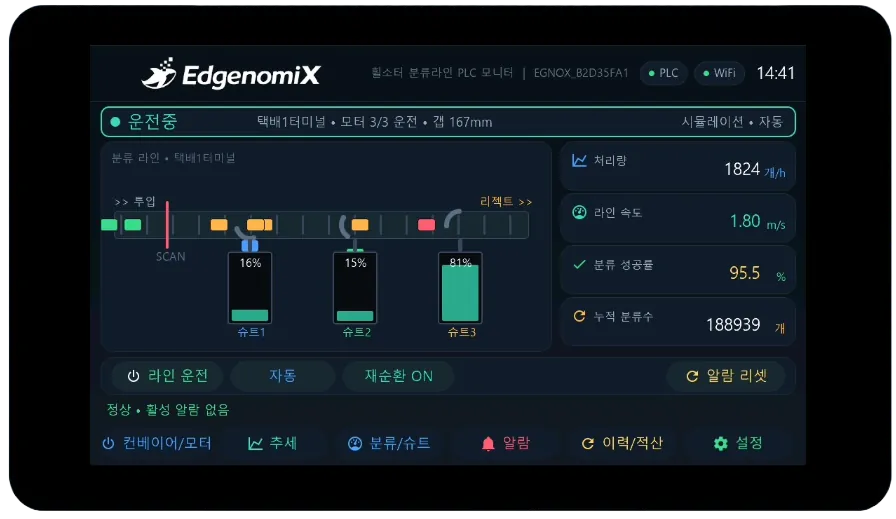
We Built Every One of These Screens Ourselves
From industrial equipment to home appliances, medical/beauty devices and unattended machines — these are actual HMI screens we built across every field. They all run on the same ESP32 touch panel, and tapping each screen shows its detailed features and screen design.
* Screens in the medical, beauty and safety fields are reference demos that showcase our HMI development capabilities. They are not medical devices and do not guarantee diagnosis, treatment, efficacy or safe operation.
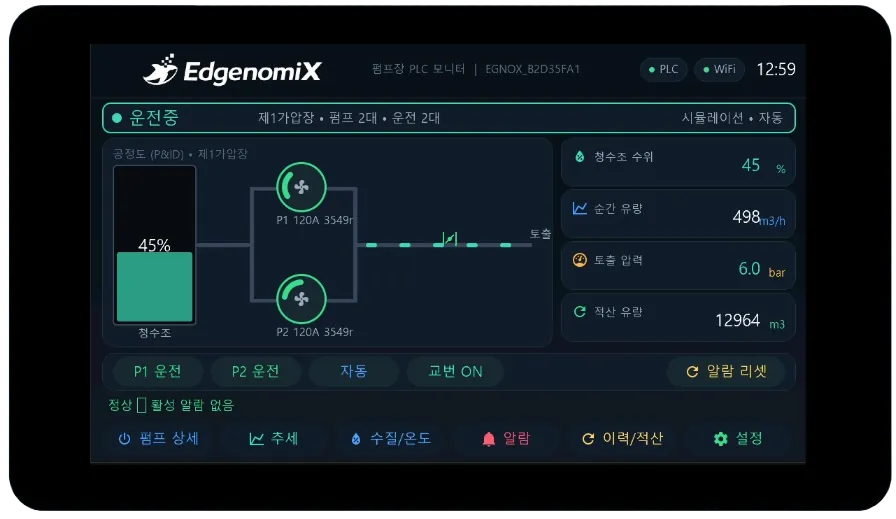
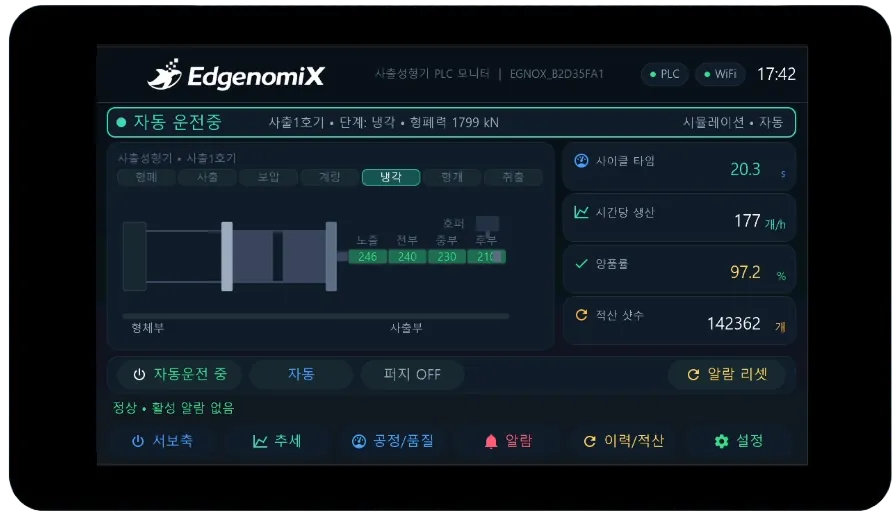
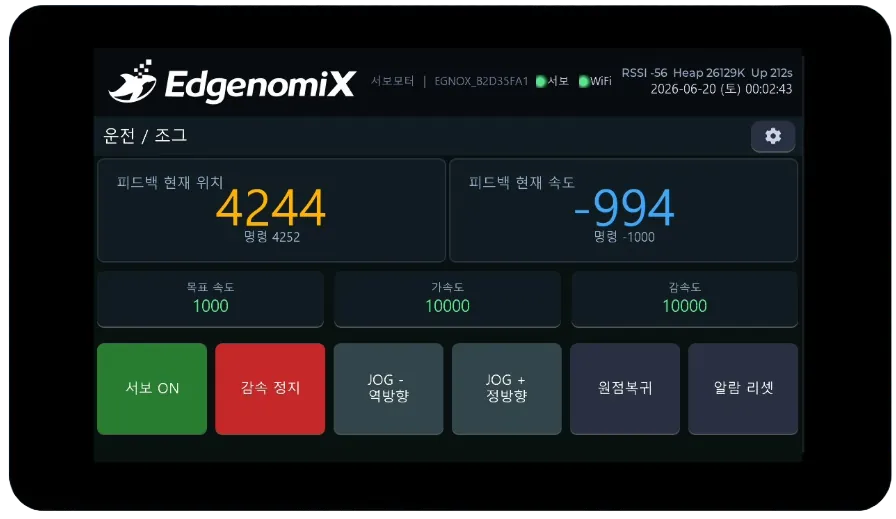
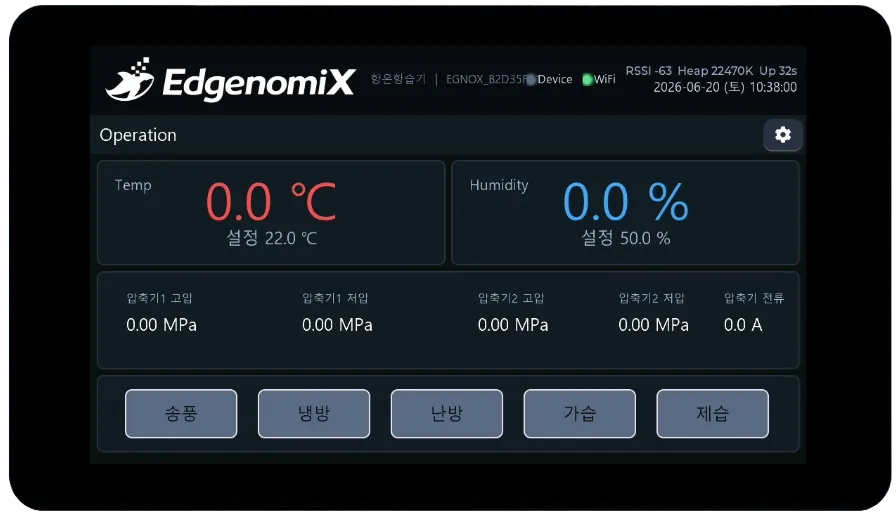
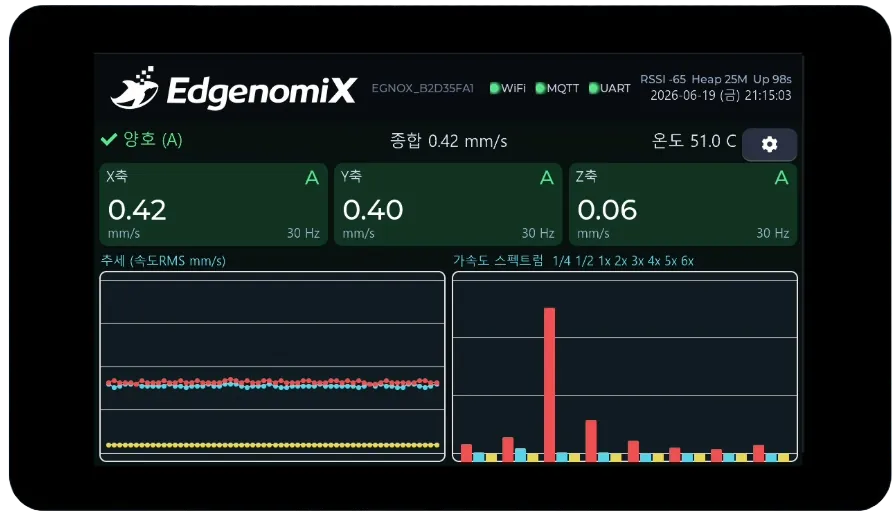
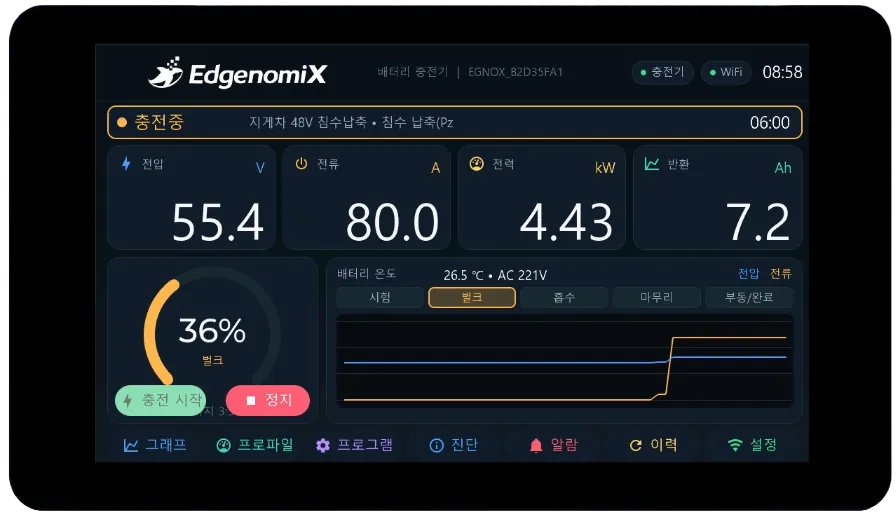
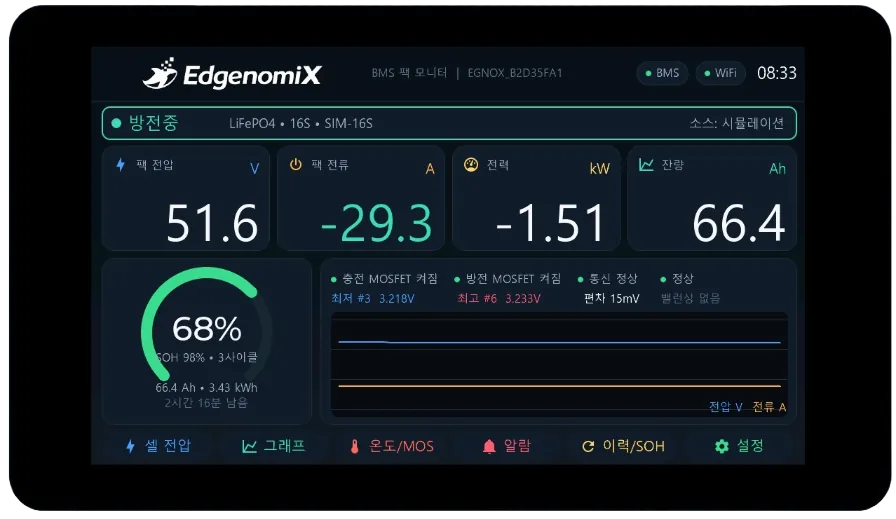
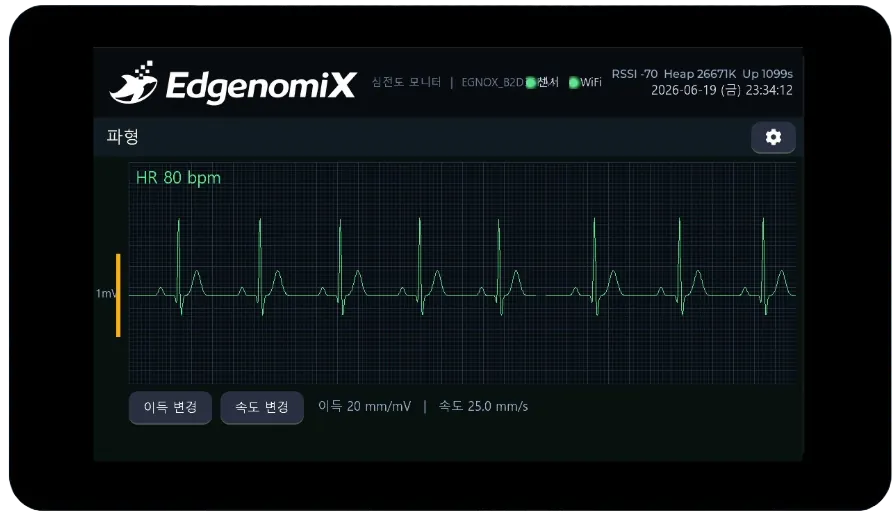
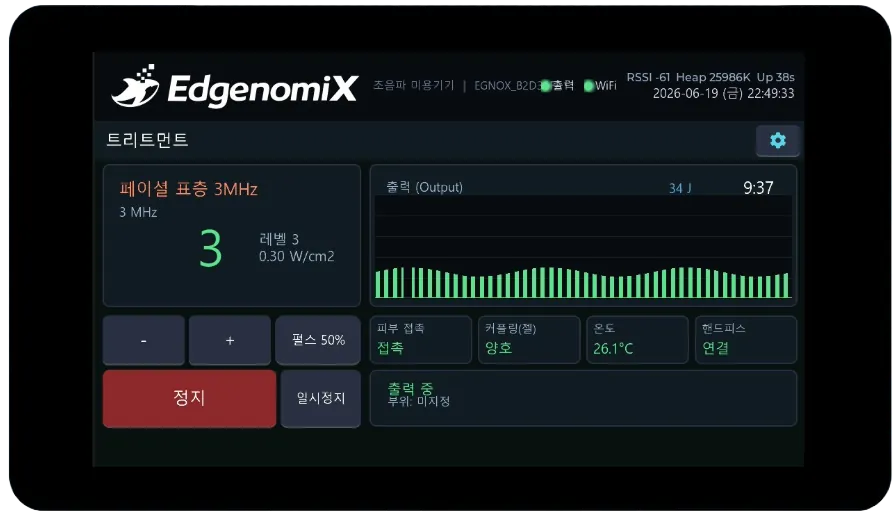
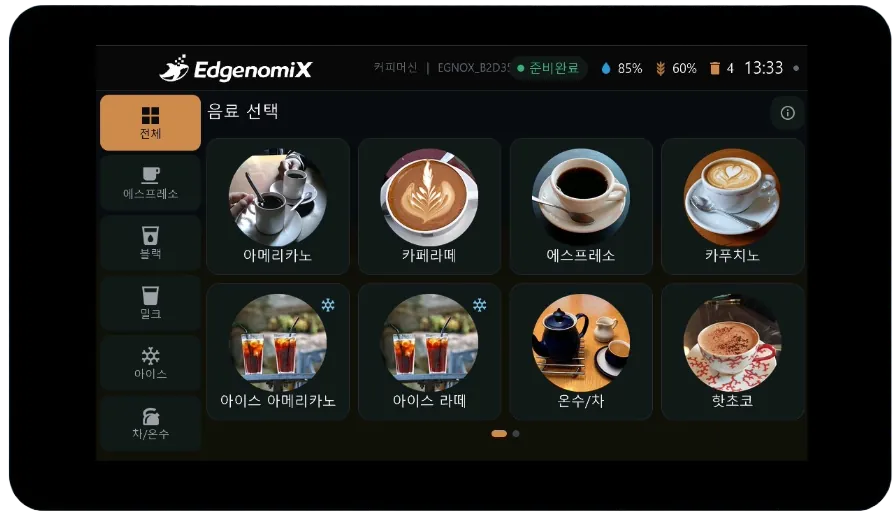
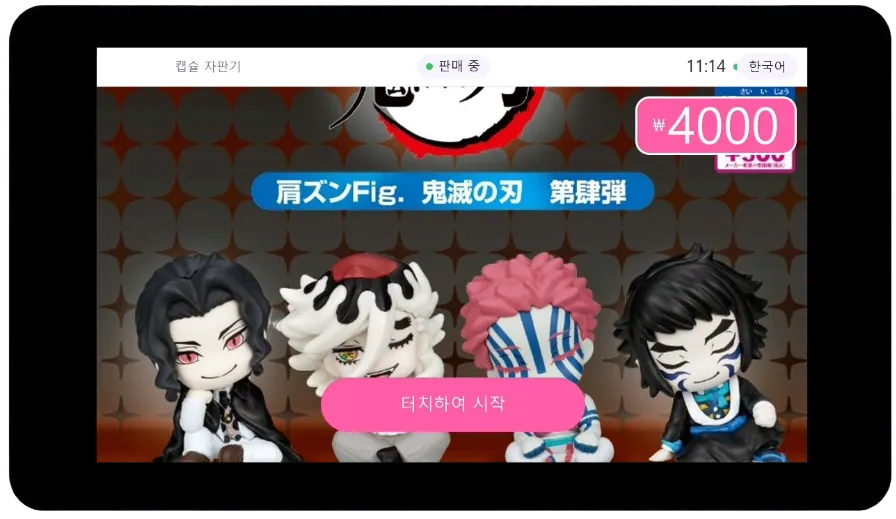
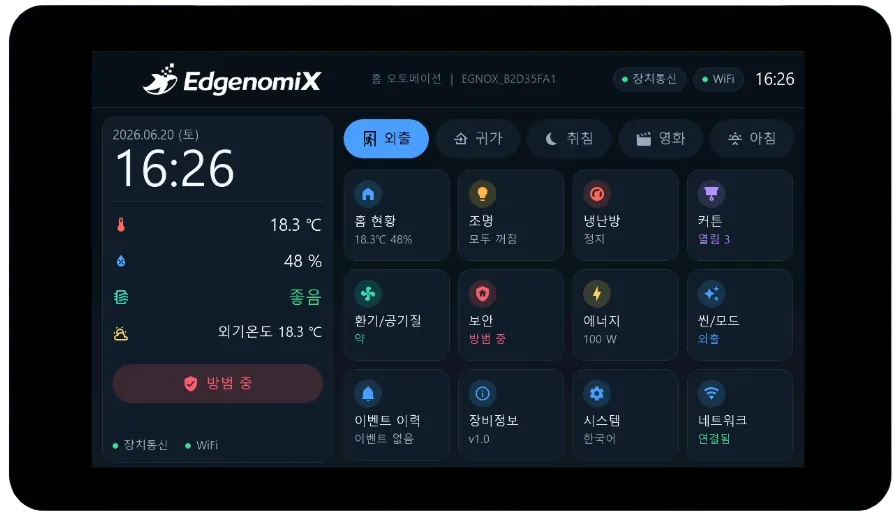
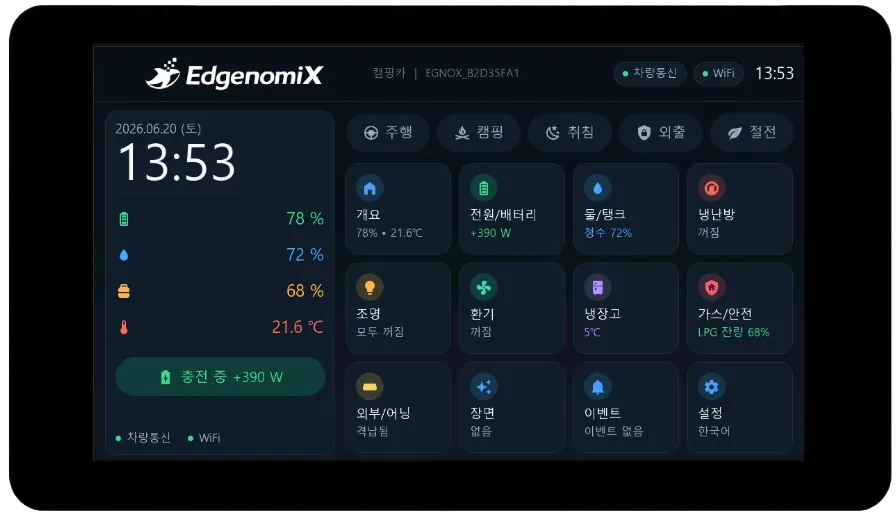
* All are actual projects in which EdgenomiX designed the screens and implemented the communication and control ourselves. Screen layout and features may vary depending on the deployment environment.
every field
communication interfaces
capacitive touch
and control, built in one place
When You Start Considering a Custom Build
Off-the-shelf industrial HMIs are costly
Adding dedicated industrial touch panels and screen-design software licenses makes the cost burden heavy for low-volume products and small-scale equipment.
There's no screen that fits your equipment
The fixed templates of general-purpose panels make it hard to build screens and operation flows that match your equipment's behavior and brand.
Screen design works, but communication and control get stuck
The screen is drawn, but projects often stall at the stage of actually integrating with RS-485 PLCs, inverters and sensors and adding the control logic.
From screen design to control,
built in one place
Rather than outsourcing the screen design or the board separately, we build the touch screen, firmware, communication integration and control logic as a single flow.
Custom Screen Design
We design dashboard, control, settings, alarm and trend screens from scratch to match your equipment's behavior and brand. We also design the touch operation flow.
Firmware & Communication Implementation
We implement Wi-Fi, BLE, RS-232 and RS-485 communication and protocols such as Modbus and MQTT in the ESP32 firmware to connect with equipment and the cloud.
Equipment Control & Operation
Control equipment with a single button press and display status in real time. When needed, we also connect app and cloud monitoring.
Key Features in Detail
Custom HMI Screen Design
Rather than fixed templates, we design screens from scratch to match your equipment's behavior and brand tone. We organize dashboard, control panel, settings, alarm and trend-graph screens to fit their purpose.
- Equipment- and brand-tailored UI/UX design
- Dashboard, control, settings, alarm and trend screens
- Capacitive multi-touch operation flow design
- Korean and multilingual screen support
ESP32-Based Multi-Communication
We integrate with apps and the cloud over Wi-Fi and BLE, and directly control PLCs, inverters and sensors over RS-232 and RS-485 serial. We also implement the standard protocols used on the floor.
- Wi-Fi / Bluetooth (BLE) wireless integration
- Direct control of RS-485 / RS-232 serial equipment
- Protocol implementation including Modbus RTU/TCP and MQTT
- Expansion interfaces such as 100Mbps Ethernet and I2C
Reasonably Priced 7-Inch Touch Hardware
We use an ESP32-P4 module with a 1024×600 IPS capacitive touch panel, an industrial operating-temperature range, Ethernet, RS-485, UART and a lithium-battery interface. You can start at a reasonable cost without expensive dedicated panels.
- 7″ 1024×600 IPS · capacitive multi-touch
- Industrial operating temperature -20 to 70℃
- Ethernet, RS-485, UART, TF card and lithium battery
- Screen size and form factor can be changed on request
Full-Stack Build from Screen Design to Control
We handle screen design, firmware development, communication-protocol implementation and control logic in one place. With no need to split the work across multiple vendors, the project runs from prototype to mass production.
- All-in-one build of screen, firmware, communication and control
- Prototype build followed by on-site validation
- OTA firmware update configuration available
- Mass-production design and Custom Embedded Development integration
Reference Hardware — 7″ ESP32-P4 Touch Module
This is the 7-inch capacitive touch module we use by default. Screen size and form factor can be changed to suit project requirements.
| Main Controller | ESP32-P4 (dual-core, up to 400MHz) |
|---|---|
| Memory | 32MB PSRAM · 16MB Flash |
| Display | 7.0″ IPS, 1024×600, 16.7 million colors |
| Touch | Capacitive multi-touch |
| Active Display Area | 155.01 × 86.72 mm |
| Wireless | Wi-Fi · Bluetooth(BLE) |
|---|---|
| Wired Communication | RS-485, UART, 100Mbps Ethernet, I2C |
| Expansion | TF card slot, lithium-battery interface, RTC |
| Operating Temperature | -20℃ to 70℃ (industrial) |
| Development Environment | ESP-IDF · Arduino · MicroPython |
This Is How a Build Proceeds
Requirements & Equipment Analysis
We organize the equipment to be controlled, the communication method (RS-485/RS-232/Wi-Fi/BLE), the required screens and features, and the budget and schedule, then finalize the build scope.
Screen Design (UI/UX)
We design dashboard, control, settings and alarm screens and design the touch operation flow. We refine the drafts together with you.
Firmware & Communication Integration
We implement the screens in the ESP32 firmware and connect real communication and control with equipment and the cloud via protocols such as Modbus and MQTT.
Prototype & On-Site Validation
We load it onto the actual panel and validate operation. We check and refine communication stability and control accuracy under field conditions.
Delivery & Mass-Production Support
We deliver the finished HMI and, when needed, provide support extending to mass-production design and dedicated board fabrication (Custom Embedded).
Where It's Used
We've grouped our actual builds by field.
PLC/Inverter-Integrated Control HMI
Pump station, injection molding machine, automation line and servo motor control screens integrated with PLCs and inverters over RS-485. Control operating status, output and alarms from a single screen.
Touch Operation & Action Control HMI
Coffee machines, capsule vending machines, home automation and camper van controllers. Product selection, level display and device action control organized into an intuitive touch screen.
Real-Time Measurement & Monitoring HMI
ECG and ultrasonic beauty devices, battery chargers, BMS and vibration sensor monitors. Stable display and control of real-time waveforms, graphs and precise readings.
Service Specifications
| Build Scope | Screen design, firmware, communication integration, control logic |
|---|---|
| Screen Design | Dashboard, control, settings, alarm, trend |
| Communication | Wi-Fi, BLE, RS-485, RS-232, Ethernet |
| Protocols | Modbus RTU/TCP, MQTT, custom |
| Hardware | 7″ ESP32-P4 touch module (size adjustable) |
|---|---|
| Language | Korean and multilingual screens |
| Updates | OTA firmware update configuration available |
| Integration | EGNOX IoT, Edge HMI, Cloud, Custom Embedded |
Products Worth Considering Together
EGNOX IoT
A field-installed gateway that converts legacy equipment data to standards and delivers it to HMI, Cloud and MES.
EGNOX Edge HMI
An edge HMI solution that monitors field data and detects early signs of anomalies.
Custom Embedded Development
From circuits, PCB and firmware to edge AI, we custom-develop dedicated boards and carry them through to mass production.
Which equipment do you need an HMI for?
Tell us the type of equipment, the communication method, and the screens and features you want, and we'll first review feasibility along with a rough cost and schedule.