
See your sortation line at a glance with a living, animated process screen
Reproduces the real motion of wheel-sorter and conveyor sortation lines on screen exactly as it happens, connects directly to your existing PLC, and shows throughput, sortation rate, and chute loading in real time.
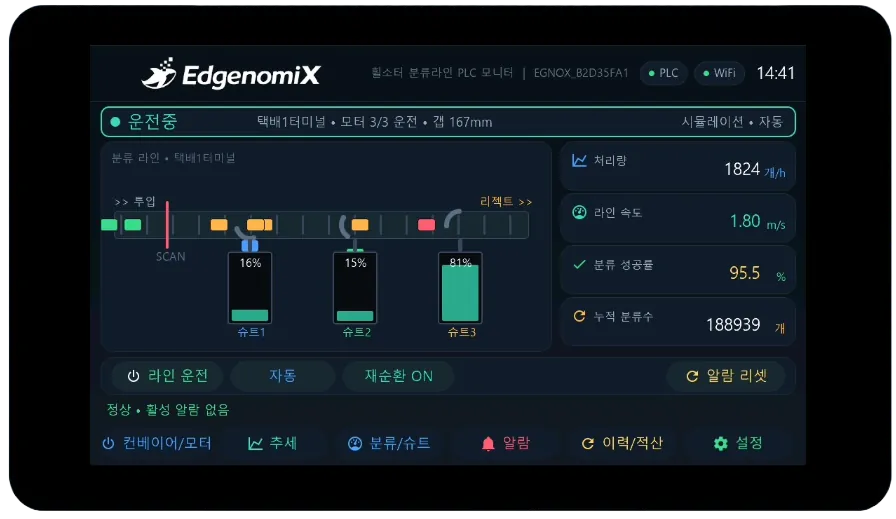
How this HMI works
An animated mimic shows the conveyor belt running, boxes being sorted, and chutes filling up, so you grasp line status intuitively without scanning rows of numbers. It connects to existing PLCs such as the LS XGB without an additional gateway, and even without a PLC it can be demonstrated instantly using the built-in simulation.
Key features
Live process mimic
Displays belt flow, box sortation, diverters, and chute loading as real-time animation.
KPI · trends
Shows throughput, line speed, and sortation success rate with large figures and trend graphs.
Two-level alarms · history
Automatically logs warning/cutoff latched alarms and the history of events being raised and cleared.
Multi-protocol
Connects directly to existing PLCs via Modbus RTU/TCP and LS XGT.
Built-in simulation
Lets you demonstrate the real screen with power alone, no PLC required.
Cumulative · shift totals
Automatically tallies daily and per-shift cumulative sortation counts and operating status.
Browse screens
These are actual screens designed and built in-house by EdgenomiX.
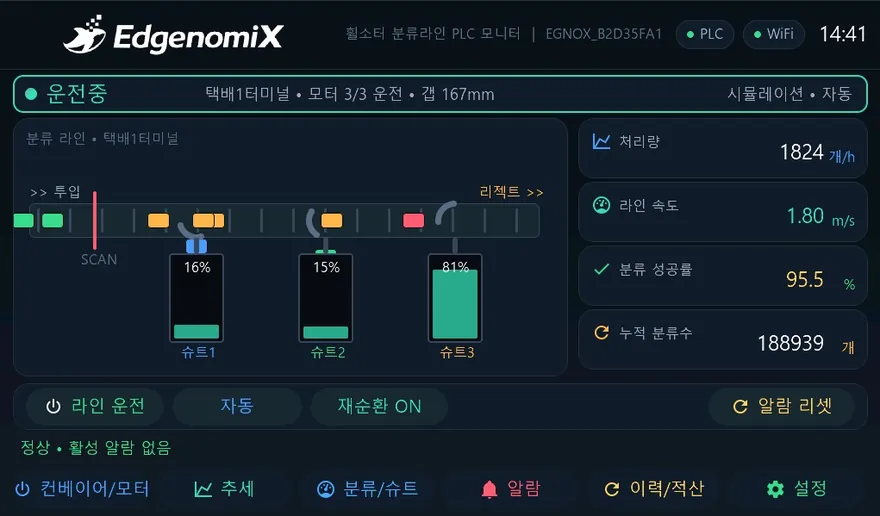
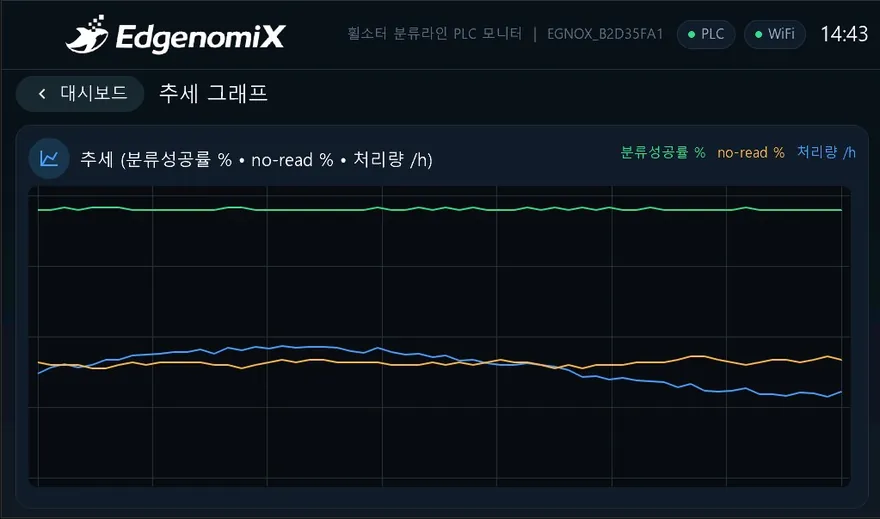
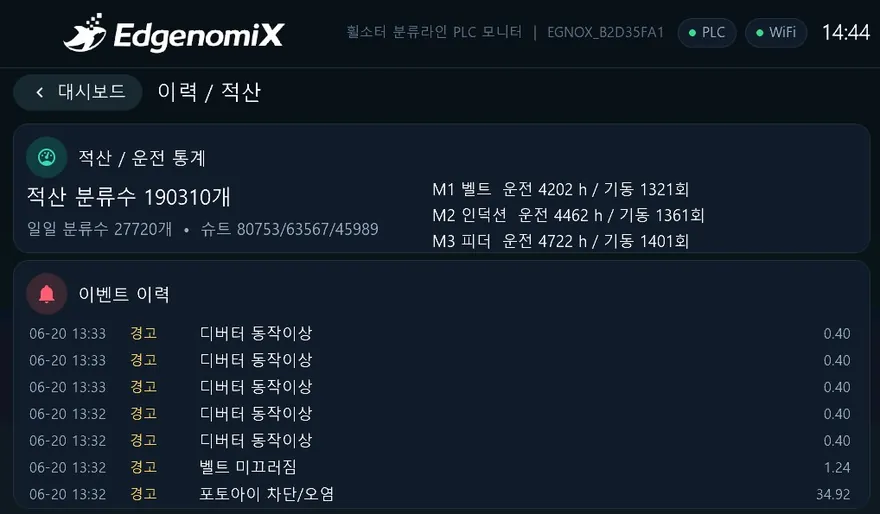
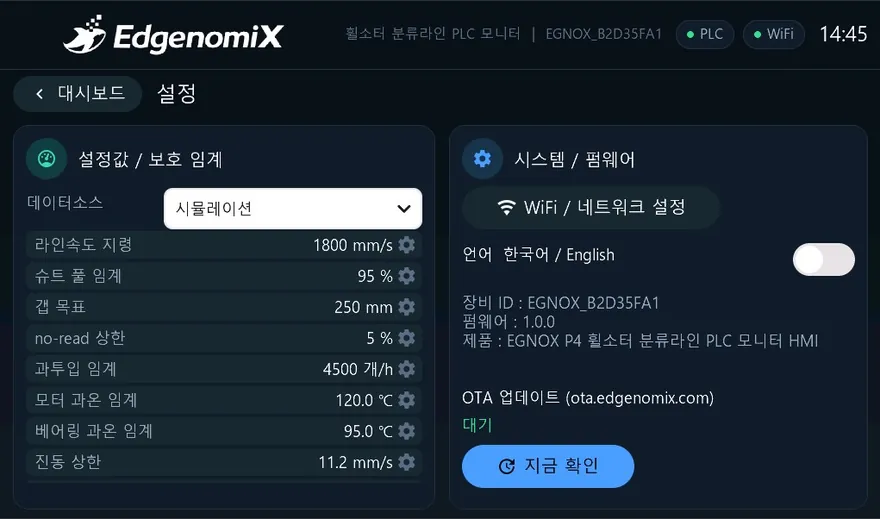
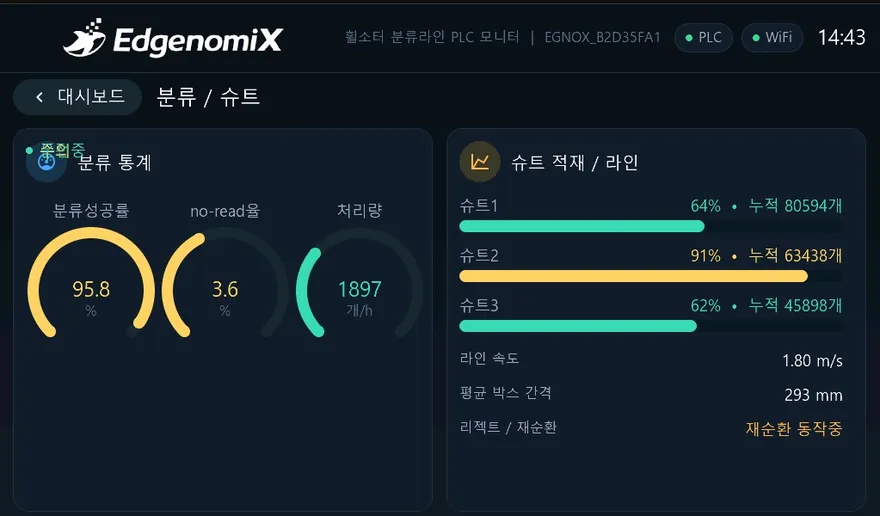
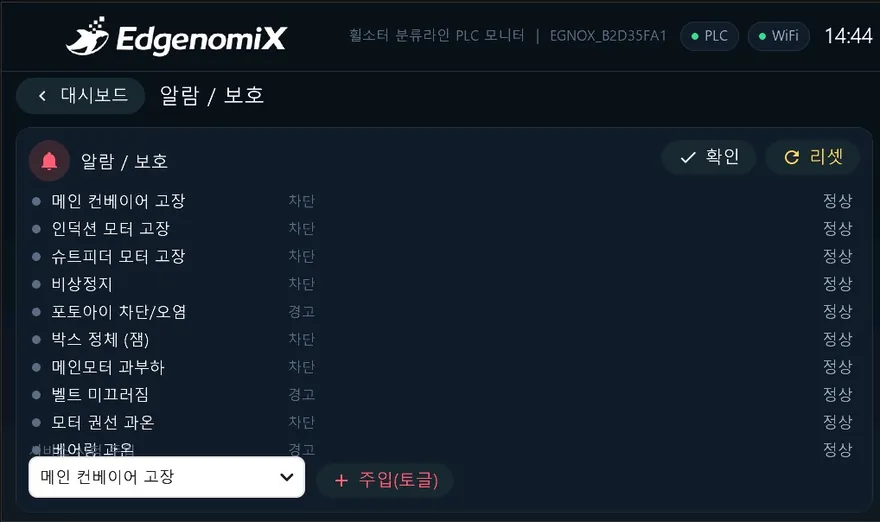
* These are actual production screens; the configuration may vary depending on the deployment environment.
What you monitor and control on screen
How it connects to your equipment
Every EGNOX custom HMI supports Wi-Fi and Ethernet networking, OTA over-the-air firmware updates (signature verification and rollback), remote screen viewing via web browser, and multilingual operation (Korean/English) as standard. The communication register map is mapped during the screen design phase to suit your equipment model.
Where it applies
Common HMI hardware platform
| Display | 7″ IPS 1024×600 · capacitive multi-touch |
|---|---|
| Processor | ESP32-P4 dual-core RISC-V + ESP32-C6 wireless |
| Memory | 32MB PSRAM · 16MB Flash |
| Serial | RS-485 · RS-232 |
| Network | Wi-Fi (2.4GHz) · Ethernet (100M) |
| Remote | OTA firmware updates (signature verification & rollback) · remote screen viewing over web |
| Operation | Multilingual (Korean/English) · NTP clock · persistent settings storage |
| UI | LVGL-based graphics · IEC 60073 color standard |
* The specifications above are based on the common EGNOX custom HMI platform; screen size, communication, and form factor are selected and agreed upon according to project requirements.
Industrial equipment HMI, built to fit your machines
Tell us your equipment type, communication method, and the screens and features you want, and we will first review feasibility along with an approximate cost and schedule.