
From the battery to the awning, everything in your camper van at your fingertips
A camper van integrated controller HMI that displays and controls power, water tanks, heating/cooling, lighting, and safety on a single 7-inch touch dashboard.
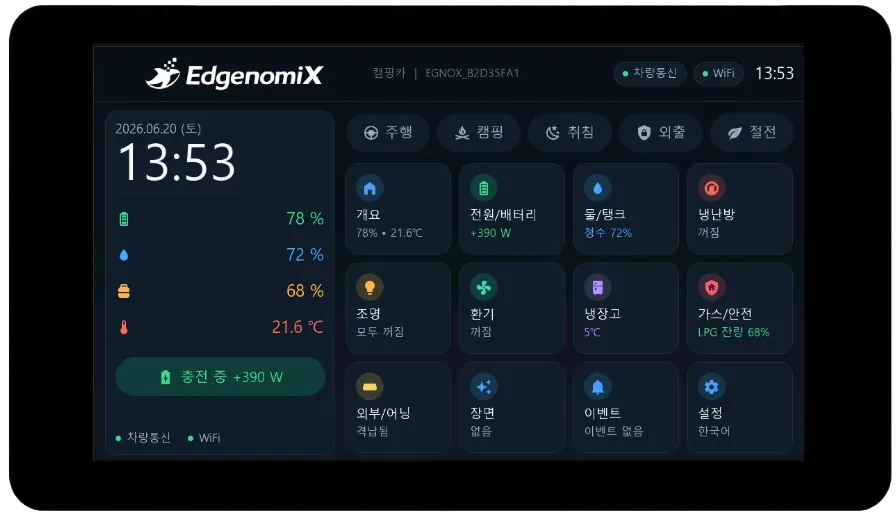
How this HMI works
Displays auxiliary battery charge level, voltage, and current along with solar, shore power, and drive-charging flows in real time, and indicates fresh water, gray water, and black water tank levels and remaining LPG by color. It provides one-touch scene modes such as drive and camping along with pre-departure safety check alerts, reflecting the values and conventions of commercial RV control systems.
Key features
Energy monitoring
Displays SoC gauges, voltage/current, and consumption along with solar, shore power, and inverter flows.
Water & tank management
Provides three-tank gauges for fresh, gray, and black water and controls the water pump and water heater.
Heating/cooling · Lighting · Ventilation
Controls heater/air-conditioner modes, 6-zone lighting dimming, and the roof fan and CO₂.
Gas · Safety/Security
Supports LPG, CO, and smoke monitoring, away-mode security, and immediate gas shutoff.
One-touch scene modes
Switches drive, camping, sleep, away, and power-saving modes all at once.
Drive interlock alerts
Warns before departure when the awning, step, or door has not been checked.
* Safety-related functions such as gas shutoff and interlock alerts are supplementary monitoring and alerts only; actual safe shutdown and stop actions rely on equipment-side hardware interlocks and statutory safety devices (this does not replace them). This screen is a reference demo of HMI development.
Browse the screens
Actual screens designed and built directly by EdgenomiX.
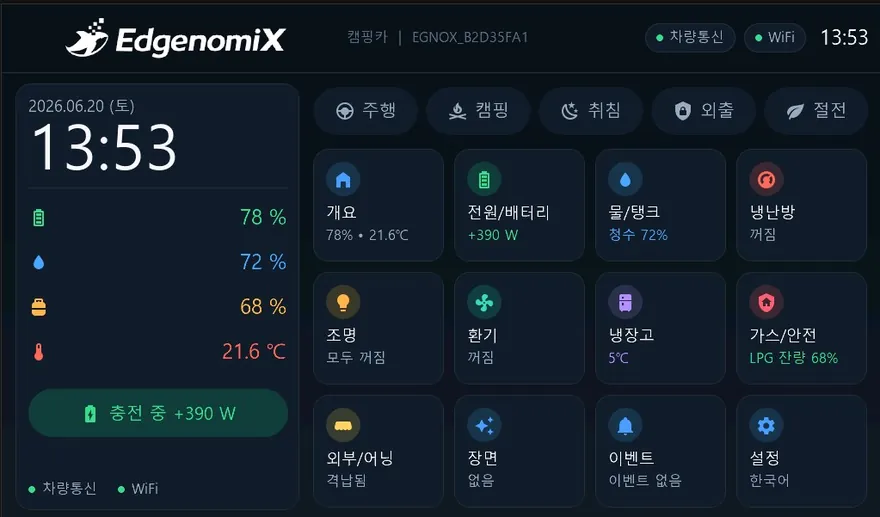
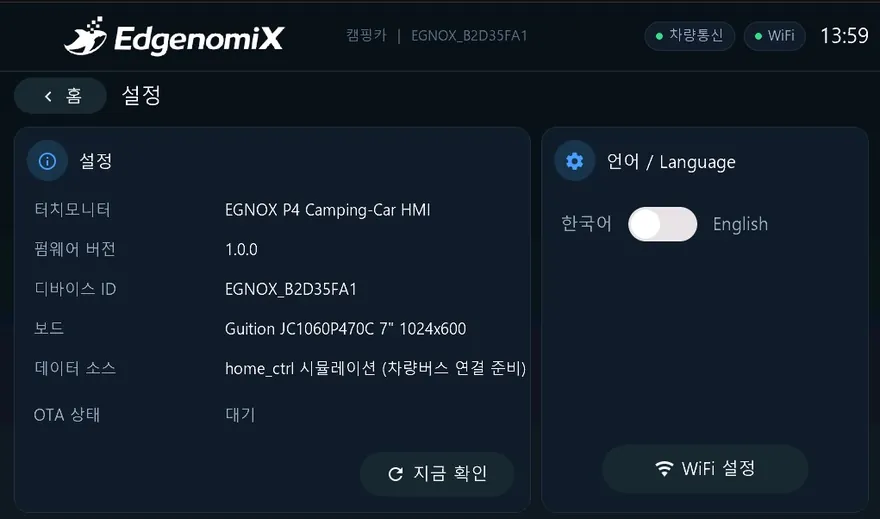
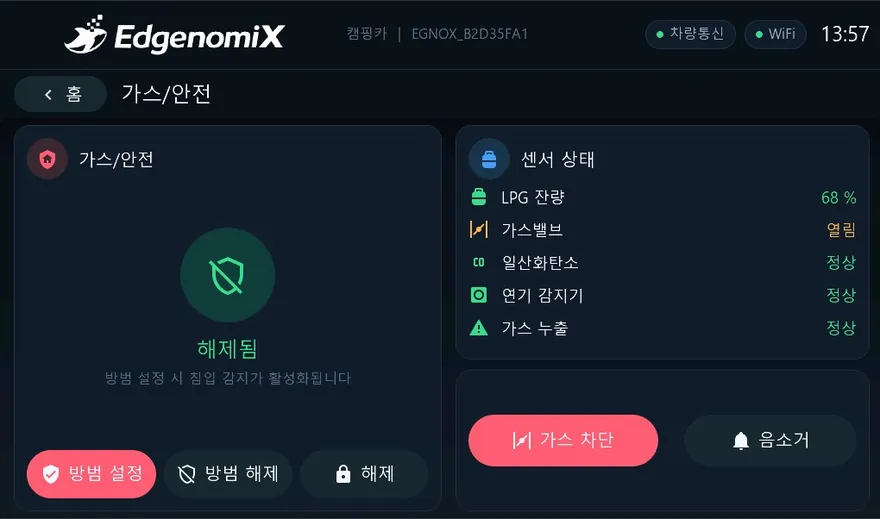
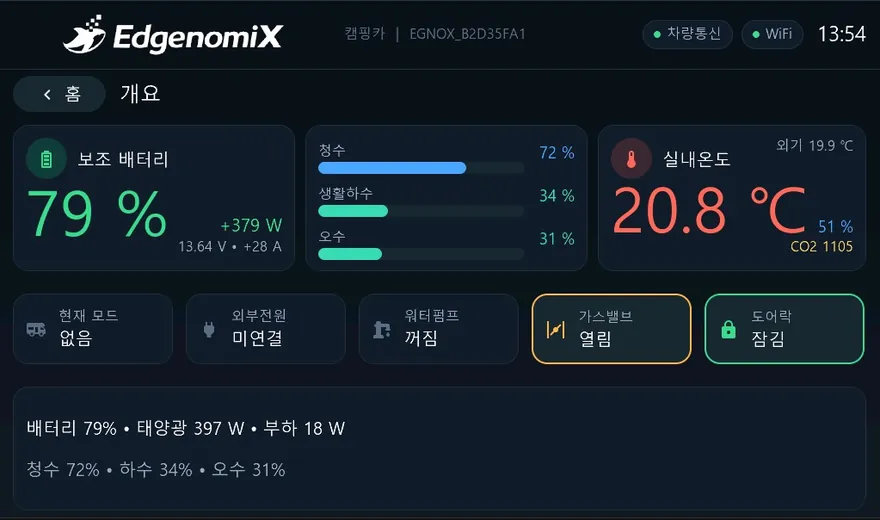
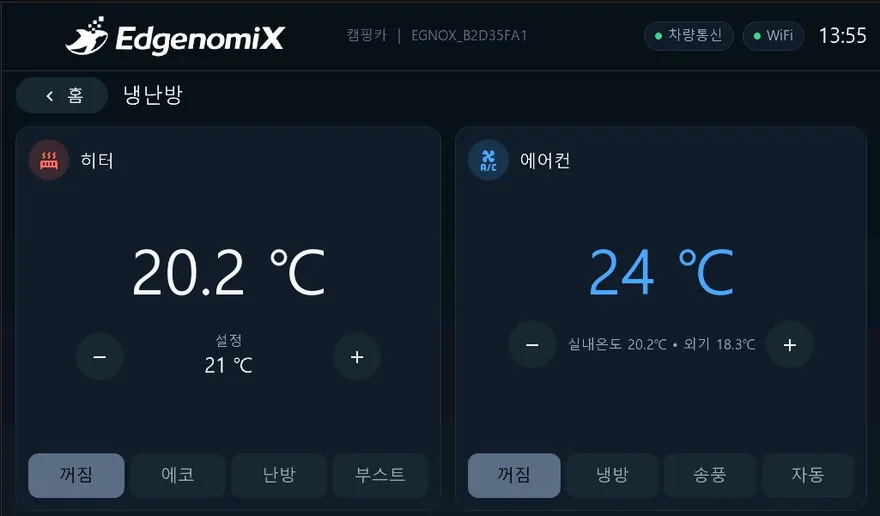
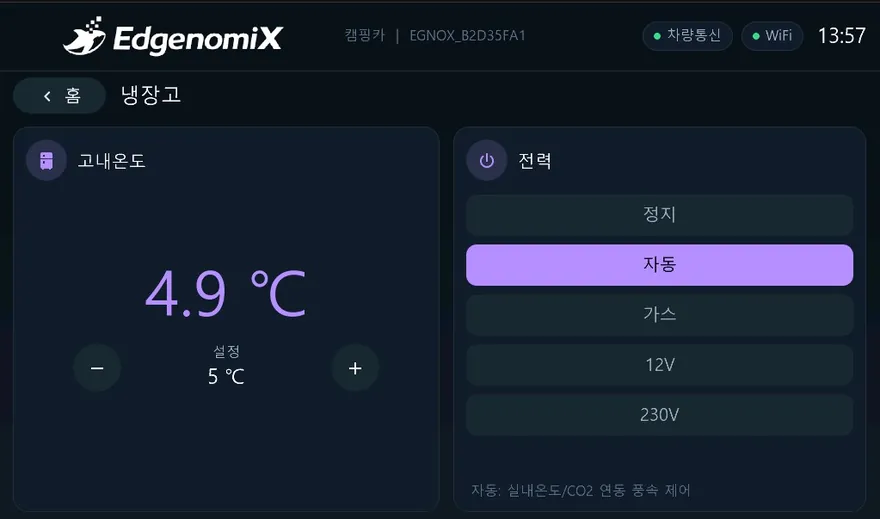
* These are actual production screens; the configuration may vary depending on the deployment environment.
Items you can view and control on screen
How it connects to equipment
Every EGNOX Custom HMI commonly supports Wi-Fi and Ethernet networking, OTA wireless firmware updates (signature verification and rollback), remote screen viewing via web browser, and multilingual support (Korean/English). The communication register map is mapped to the equipment model during the screen design stage.
Where it applies
Common HMI hardware platform
| Display | 7″ IPS 1024×600 · capacitive multi-touch |
|---|---|
| Processor | ESP32-P4 dual-core RISC-V + ESP32-C6 wireless |
| Memory | 32MB PSRAM · 16MB Flash |
| Serial | RS-485 · RS-232 |
| Network | Wi-Fi (2.4GHz) · Ethernet (100M) |
| Remote | OTA firmware updates (signature verification and rollback) · web-based remote screen viewing |
| Operation | Multilingual (Korean/English) · NTP clock · persistent settings storage |
| UI | LVGL-based graphics · IEC 60073 color standard |
* The specifications above are based on the EGNOX Custom HMI common platform; screen size, communication, and form factor are selected and discussed to match project requirements.
We build mobility HMIs tailored to your equipment
Tell us your equipment type, communication method, and the screens and features you want, and we will first review feasibility and provide a rough cost and schedule estimate.