
Control the servo driver directly, without a PLC
The HMI operates as a Modbus RTU master, reading from and writing to the servo driver directly. Jog feed and run screens are packed into a 7-inch touch panel with no separate PLC or motion master.
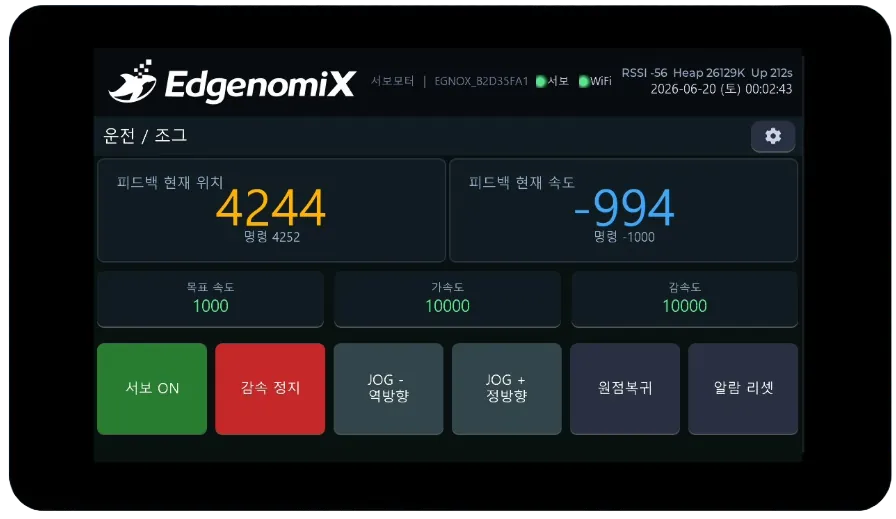
How this HMI works
Feedback position and speed are shown in large numerals in real time, while servo ON, jog (JOG), homing, and alarm reset are controlled by touch. The jog buttons move only while pressed and stop immediately when released, providing safe operation.
Key features
Modbus direct control
Polls and controls the servo driver directly, so no PLC is needed.
Run · Jog
Provides servo ON, decelerated stop, JOG±, homing, and alarm reset.
Instant response + safety
Jog moves only while pressed and stops immediately when released.
Status lamps · speed trend
Shows I/O status lamps and a real-time chart of command/feedback speed.
Parameter entry
Set target speed, acceleration/deceleration, and run mode (home/absolute/relative) by touch.
Register map swap
Just swap the communication map to match the driver model.
Browse the screens
Actual screens designed and built in-house by EdgenomiX.
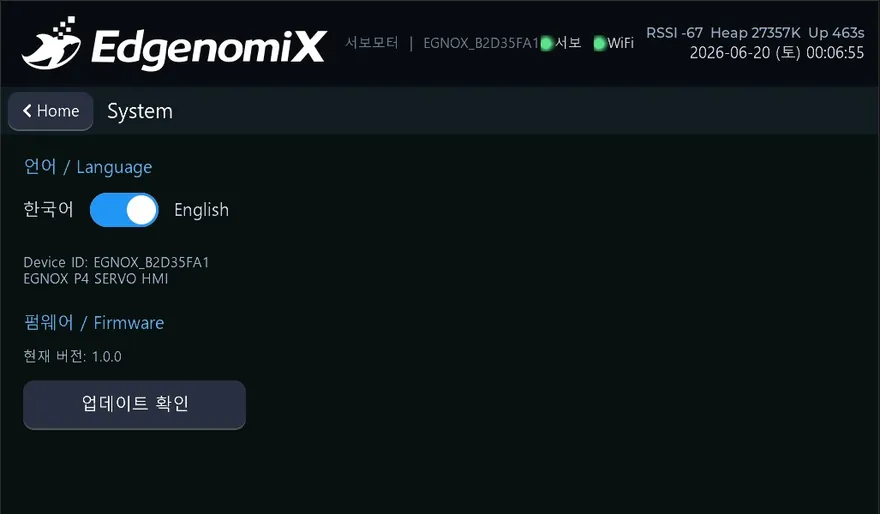
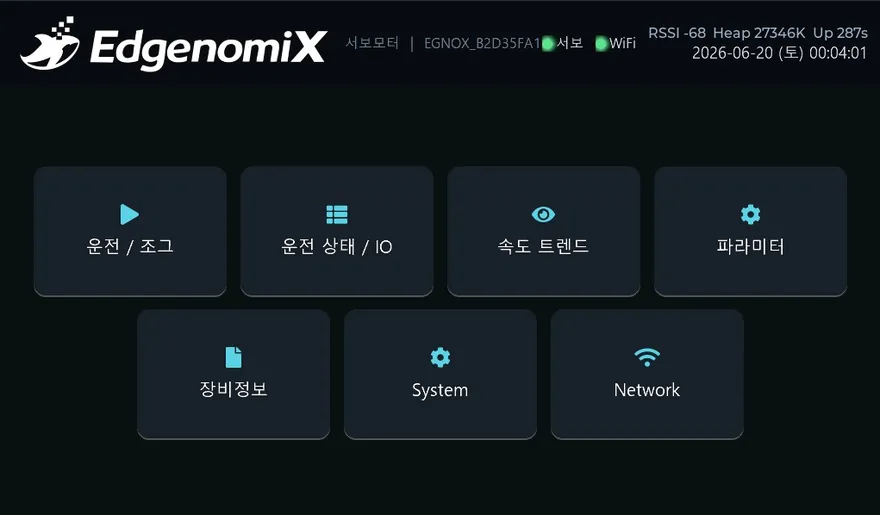
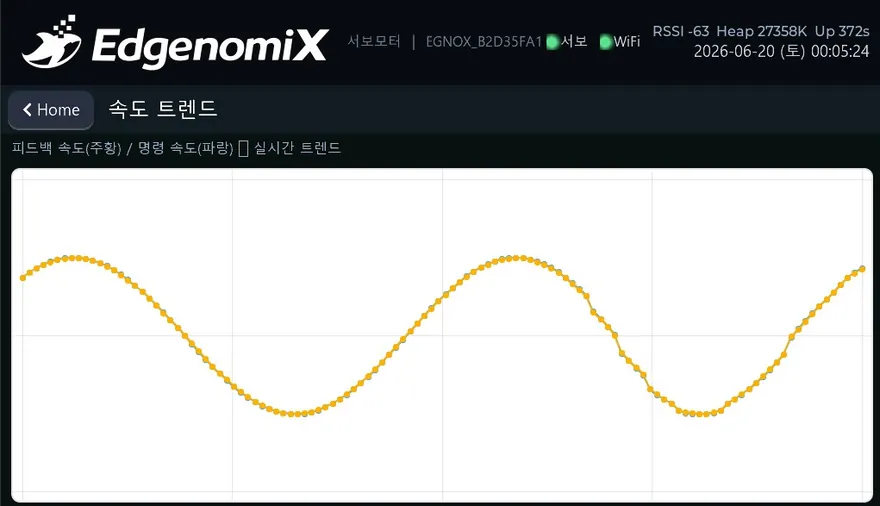
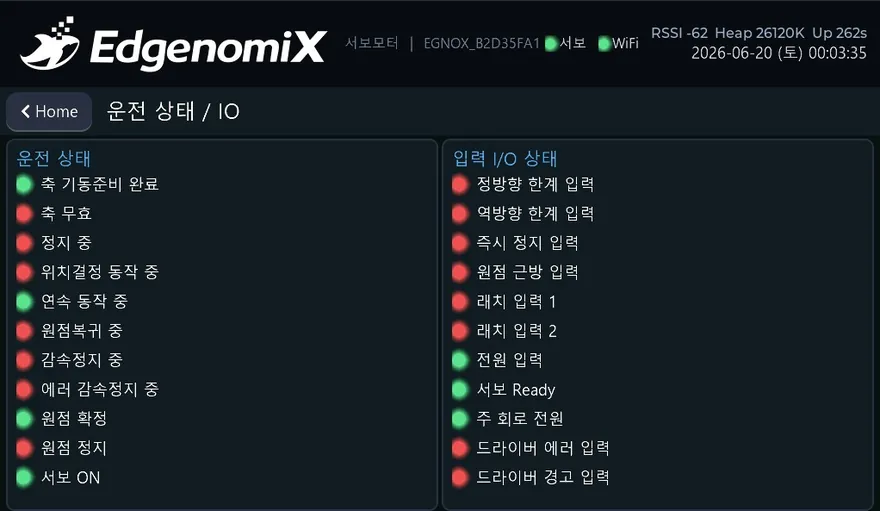
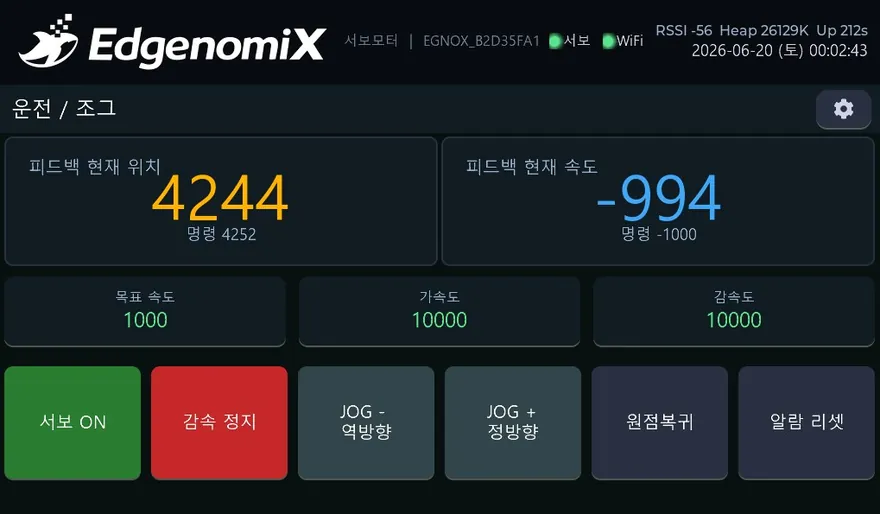
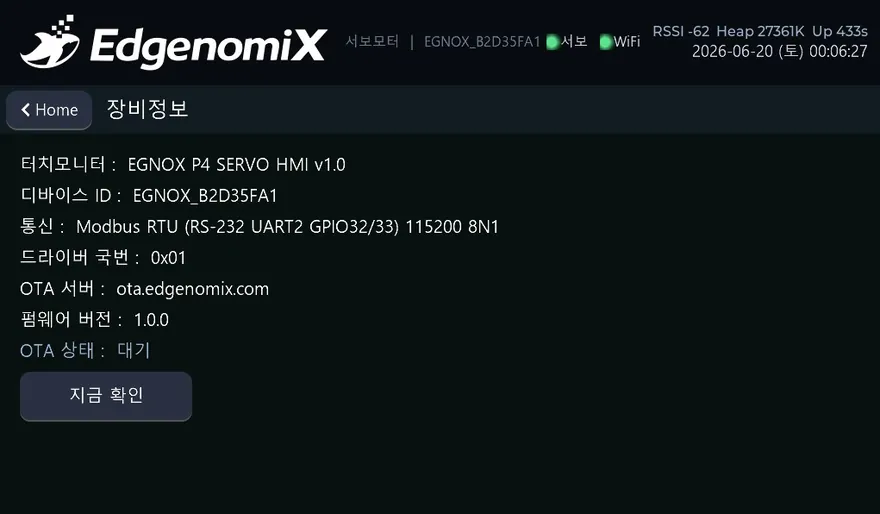
* These are actual built screens; the configuration may vary depending on the deployment environment.
Items monitored and controlled on screen
How it connects to equipment
Every EGNOX custom HMI supports Wi-Fi/Ethernet networking, OTA over-the-air firmware updates (with signature verification and rollback), remote screen viewing via web browser, and multilingual (Korean/English) operation as standard. The communication register map is mapped during the screen design phase to match the equipment model.
Where it applies
HMI common hardware platform
| Display | 7″ IPS 1024×600 · capacitive multi-touch |
|---|---|
| Processor | ESP32-P4 dual-core RISC-V + ESP32-C6 wireless |
| Memory | 32MB PSRAM · 16MB Flash |
| Serial | RS-485 · RS-232 |
| Network | Wi-Fi (2.4GHz) · Ethernet (100M) |
| Remote | OTA firmware updates (signature verification · rollback) · remote screen viewing via web |
| Operation | Multilingual (Korean/English) · NTP clock · persistent settings storage |
| UI | LVGL-based graphics · IEC 60073 color standard |
* The specifications above are based on the EGNOX custom HMI common platform; screen size, communication, and form factor are selected and agreed upon to meet project requirements.
Industrial equipment HMI, built to fit your equipment
Tell us your equipment type, communication method, and the screens and features you want, and we will first review feasibility along with an approximate cost and schedule.